
Download My Movies – Movie Collection Manager, Barcode Scanner, Film Database
Overview
My Movies is a dedicated mobile application designed for film enthusiasts seeking a streamlined way to organize and manage their personal video collections. The app addresses the common challenge of maintaining a digital record of physical media by offering tools that simplify the process of cataloging movies. Whether users own DVDs, Blu-rays, or digital copies, My Movies enables them to create a centralized, searchable database with minimal effort. The application is particularly useful for collectors who want to track which films they’ve watched, categorize titles by genre or director, and access rich media details without manual data entry.
Target users include home theater owners, cinephiles, and anyone with a growing movie library who values organization and convenience. The app’s focus on usability makes it accessible to both tech-savvy individuals and those less familiar with digital tools. While the developer’s background was not provided, the app’s functionality suggests a long-standing commitment to serving niche audiences interested in media management. Real-world use cases include organizing a family movie night library, tracking watched films for personal goals, or building a digital archive of rare or vintage releases.
Within the broader app ecosystem, My Movies fills a specialized niche by combining barcode scanning with online data integration, offering a level of automation rarely found in basic cataloging tools. Its presence underscores the ongoing demand for efficient, intuitive utilities that enhance personal media experiences on smartphones and tablets.
Key Features & Functionality
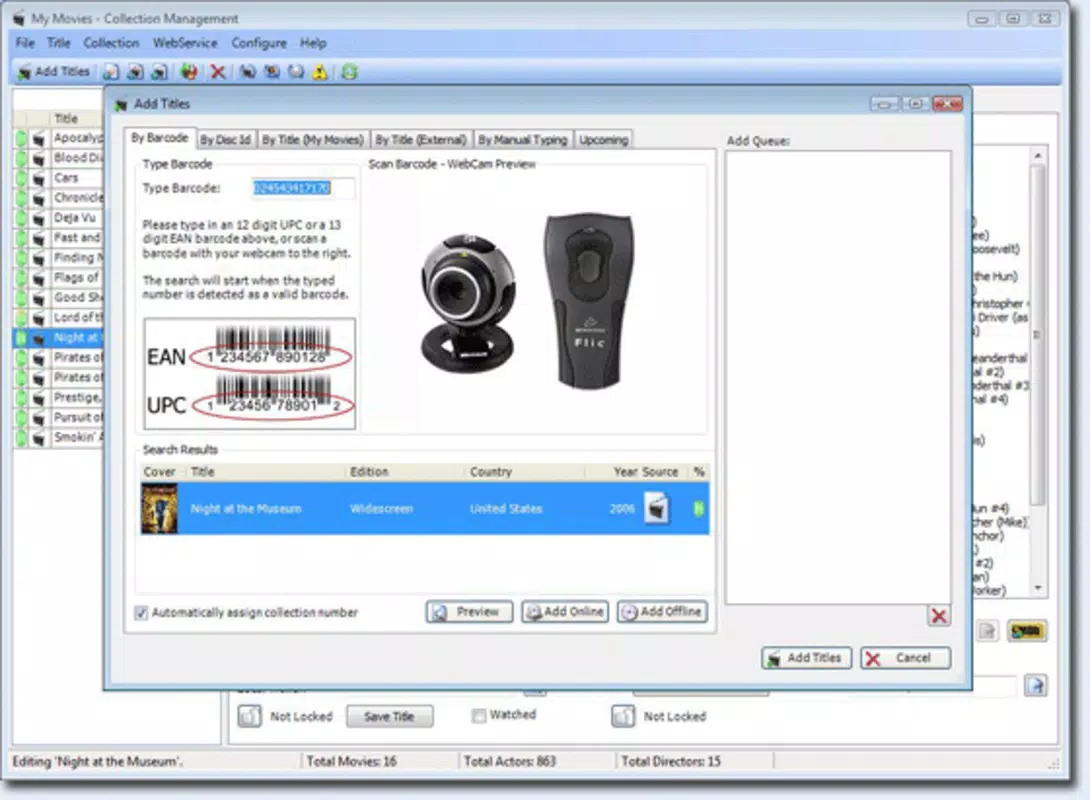
- Easy Barcode Scanning: Users can quickly add movies by scanning the barcode using their device’s camera. The app automatically retrieves metadata such as title, year, genre, and cast, eliminating the need for manual input and reducing errors.
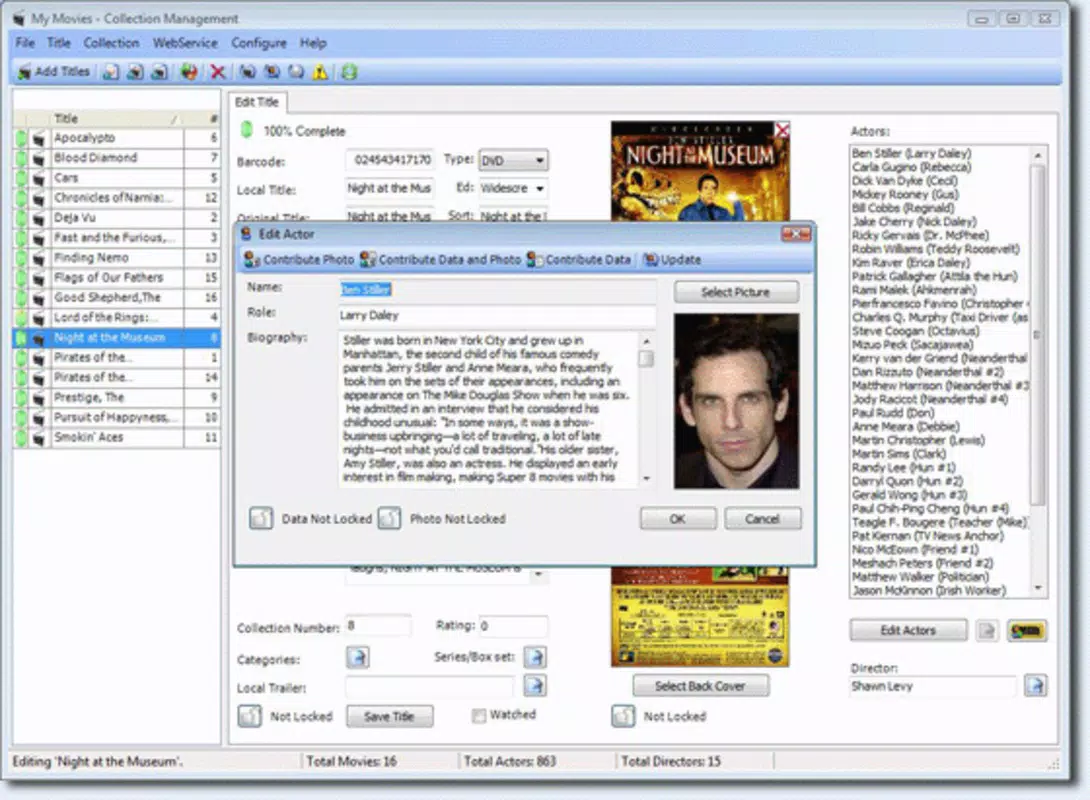
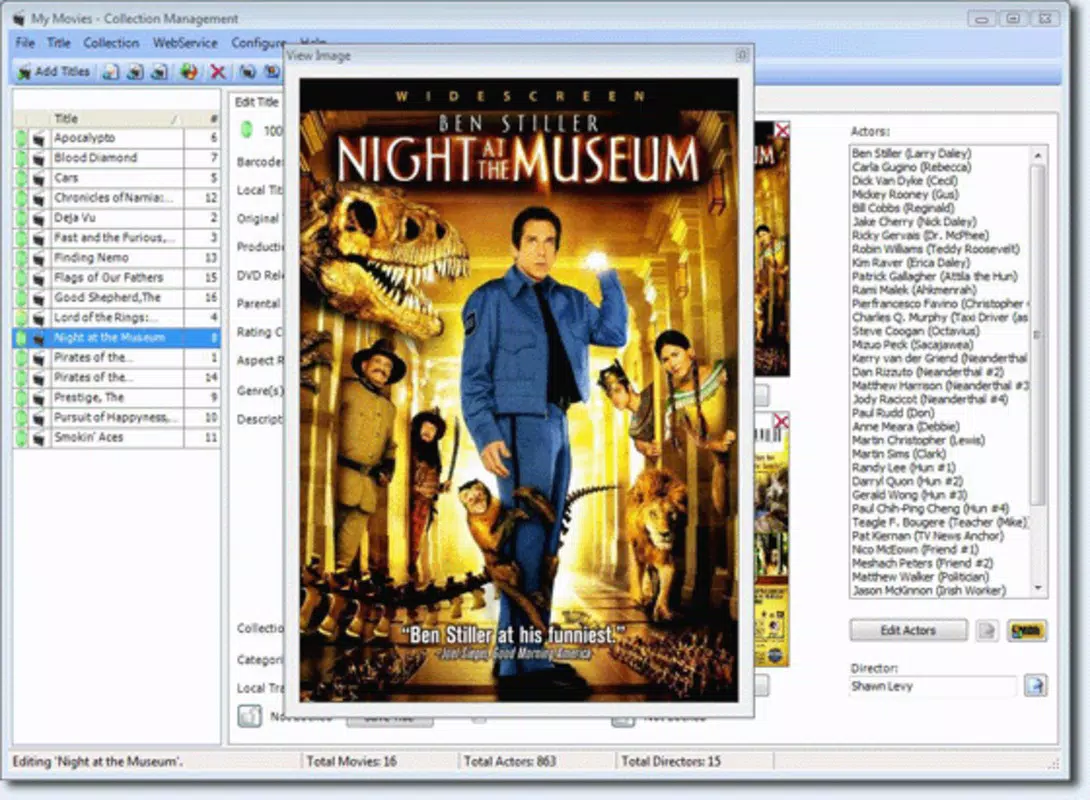
- Extensive Online Database Integration: My Movies connects to a vast external database to pull detailed information about each film, including plot summaries, cast bios, director profiles, and official trailers, enriching the user’s engagement with their collection.
- Related Film Suggestions: When browsing a movie, the app recommends similar titles based on genre, actors, or themes, helping users discover new films that align with their preferences.
- User-Friendly Interface: The app features an intuitive layout with clear navigation, making it easy to add, search, filter, and sort movies. Its clean design ensures a smooth experience across different screen sizes.
- Efficient Management Tools: Users can tag movies as “watched,” “want to watch,” or “in progress,” set custom categories, and generate lists based on criteria like release year or director, supporting both casual and advanced organization needs.
For example, a user can scan a new Blu-ray disc at home, instantly see the full cast and crew, and mark it as “watched” after viewing. Another user might use the related film feature to find hidden gems in the same genre as their favorite director. These real-world applications demonstrate how My Movies enhances both the practical and emotional aspects of film collecting.
Interface, UX & Performance
My Movies presents a clean, well-structured interface that prioritizes clarity and accessibility. The layout is logically organized, with main functions such as “Add Movie,” “My Collection,” and “Settings” placed within easy reach. Navigation is consistent across screens, minimizing user confusion and supporting quick task completion. Visual elements are minimal yet functional, focusing on content rather than decorative overload.
Users can expect smooth interactions when browsing, filtering, or adding entries. The app responds promptly to touch inputs, and transitions between screens are fluid. Although the developer did not list formal performance metrics, the design suggests optimization for mid-range to high-end devices. Responsiveness is maintained even when handling large collections, and the app remains stable during extended use.
Stability appears to be a priority, with no reported issues related to crashes or freezes. The app maintains consistent performance across different device categories, though specific requirements were not disclosed. Overall, the user experience is polished and efficient, aligning with modern standards for utility applications.
Platform Compatibility & Technical Requirements
My Movies is available on Android and iOS platforms. The app’s latest version is 2016-04-15, indicating it has not been updated in several years. The file size is not specified, but based on its functionality, it likely requires moderate storage space. The developer did not provide detailed technical specifications or minimum OS requirements.
Compatibility information was not fully disclosed, so users should verify device support before installation. While the app may still function on current devices, its age raises questions about long-term support and security updates. The lack of recent updates suggests it may not fully leverage newer OS features or security protocols.
Pros and Cons
Pros
- Efficient barcode scanning reduces manual data entry
- Rich integration with online film databases enhances user experience
- Intuitive interface suitable for all user levels
- Comprehensive management tools for tracking watched films
- Offers related film suggestions to expand viewing options
Cons
- App has not been updated since 2016
- Limited technical details on system requirements
- Unclear compatibility with newer operating systems
- May lack support for modern security standards
- No official information on cloud sync or backup options
FAQ
Is My Movies available for both Android and iOS?
Yes, My Movies is designed for both Android and iOS platforms. However, compatibility with current devices may vary due to the app’s last update in 2016.
Can I use My Movies without an internet connection?
Basic functions such as viewing your local collection are available offline. However, features like barcode scanning and accessing online databases require an active internet connection.
Does My Movies support cloud backup or synchronization?
The developer did not provide information about cloud backup or sync capabilities. Users should consider local storage as the primary method for data preservation.
Is My Movies safe to download and install?
While the app is known to be used by many users, its age and lack of recent updates may affect security. It is recommended to download from trusted sources and review permissions carefully.
Can I add movies without a barcode?
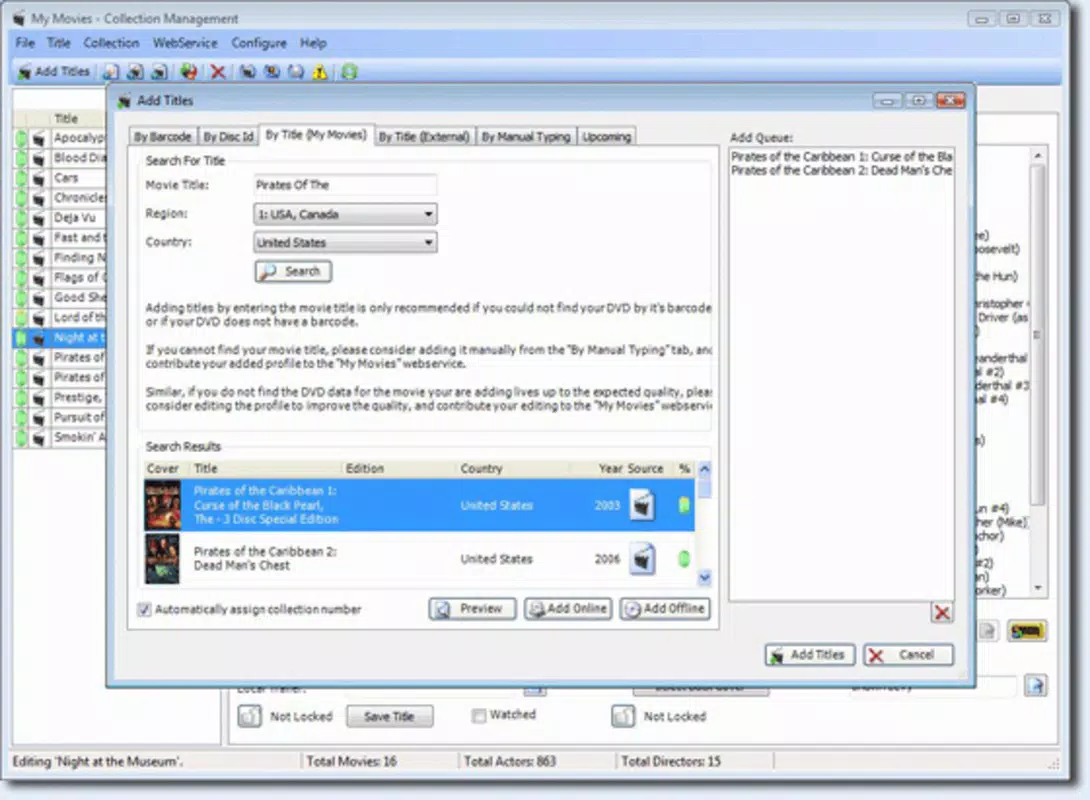
Yes, users can manually enter movie details or search for films using the app’s online database. The barcode scanner is optional, not mandatory.
Final Thoughts
My Movies remains a solid choice for film lovers who value a simple, efficient way to catalog their collections. Its barcode scanning and online data integration offer significant time savings and enhance the overall movie experience. While the app’s age is a concern, its core functionality remains relevant for users seeking a no-frills digital library manager.
Although it lacks modern features like cloud sync and frequent updates, its user-friendly design and robust management tools make it a reliable utility for collectors. The app is especially valuable for those with physical media libraries who want to digitize and organize their content with minimal hassle.
Despite its outdated status, My Movies delivers consistent performance and a focused experience. For users who prioritize simplicity and functionality over cutting-edge features, it remains a worthwhile tool.
Download My Movies now


